TACoS vs ACoS: Which Amazon Ad Metric Should You Track for Profit?
ACoS tells you how hard your ads are working. TACoS tells you whether they are growing your business. Here is how to use both.
Most Amazon sellers check one number every week: ACoS. If it looks healthy, they assume the ads are working. If it spikes, they cut the budget. The problem is that ACoS only looks at sales that came directly from your ads, so it can’t tell you what those ads are doing for the rest of your business.
That is where TACoS comes in. In this guide we break down what each metric measures, show the math with a simple example, and explain which one to lean on when profit, not just revenue, is the goal.
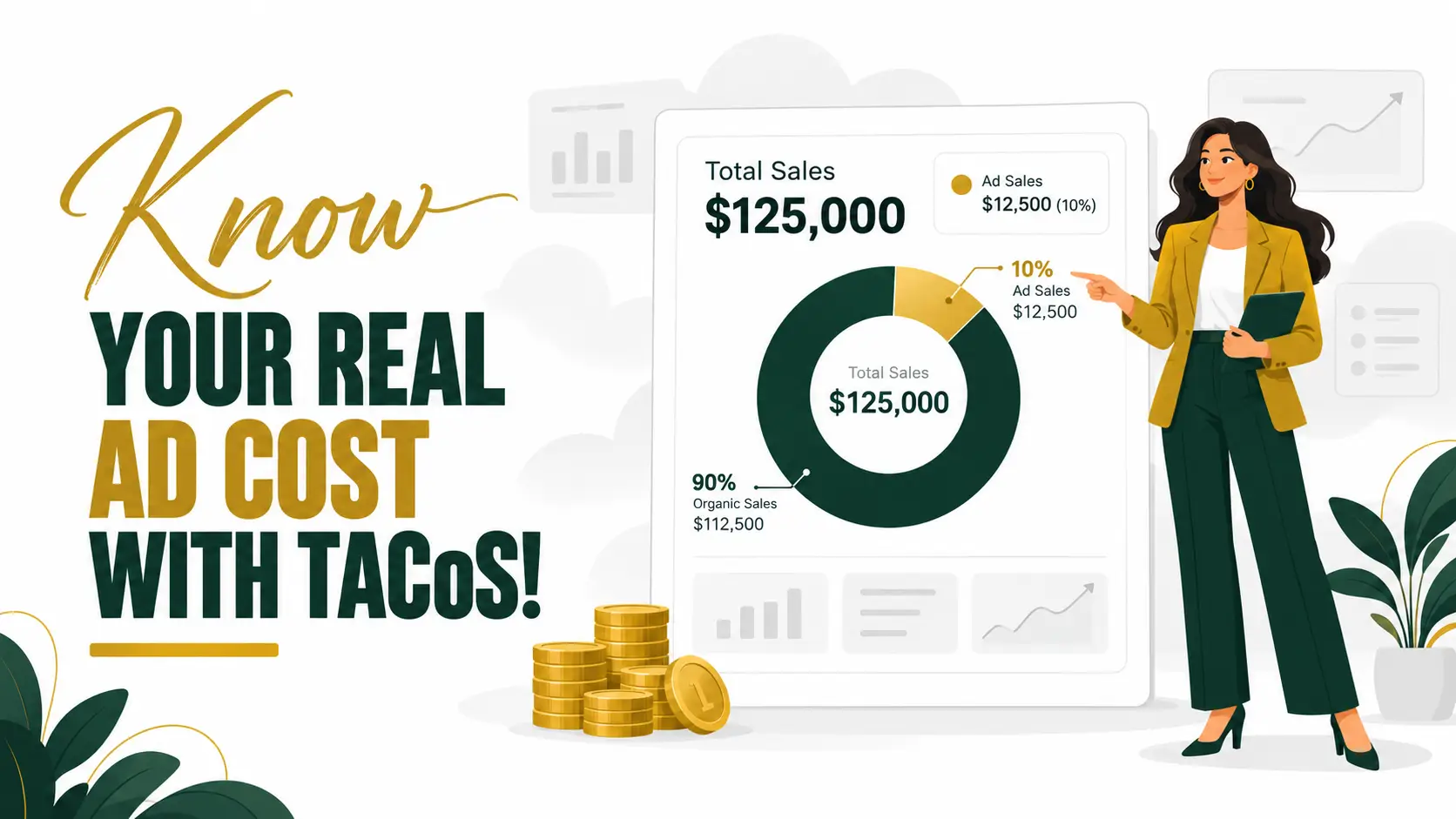
Table of Contents
- What Is ACoS?
- What Is TACoS?
- TACoS vs ACoS: One Example, Two Answers
- Which Metric Should You Track?
- How to Lower Your TACoS
- Common Mistakes to Avoid
- Conclusion
What Is ACoS?
ACoS stands for Advertising Cost of Sales. It is the share of your ad-attributed sales that you spend on advertising. You calculate it by dividing ad spend by the sales your ads generated, then multiplying by 100.
ACoS = (ad spend ÷ ad sales) × 100
For example, if a campaign spent $200 and brought in $800 in sales, its ACoS is 25%. You can see ACoS for every campaign, ad group, and keyword inside Amazon Ads, which makes it the go-to metric for day-to-day optimization.
ACoS is useful, but it has a blind spot. It only counts sales that Amazon attributes to a click on your ad. Organic sales, which are often the biggest slice of a healthy listing, never show up in it.
It also needs a reference point. Your break-even ACoS is the margin you earn before advertising. If a product leaves you a 30% margin before ad costs, an ACoS above 30% means the ad sale itself loses money.
What Is TACoS?
TACoS stands for Total Advertising Cost of Sales. Instead of dividing ad spend by ad sales, you divide it by your total sales, meaning ad sales plus organic sales.
TACoS = (ad spend ÷ total sales) × 100
You can find total sales in your Business Reports in Seller Central, and ad spend in your Amazon Ads console. Because total sales is a much bigger number than ad sales, TACoS is almost always lower than ACoS, and it moves for different reasons.
TACoS shows how much of your total revenue you reinvest into advertising. When it falls while total sales keep growing, your ads are doing more than paying for themselves: they are helping your organic sales grow too.
TACoS vs ACoS: One Example, Two Answers
Here is a simple month for one product. These numbers are illustrative, not benchmarks.
- Ad spend: $2,500
- Ad sales: $10,000
- Organic sales: $15,000
- Total sales: $25,000
- ACoS = $2,500 ÷ $10,000 × 100 = 25%
- TACoS = $2,500 ÷ $25,000 × 100 = 10%

Same spend, two very different pictures. If you only watched ACoS, 25% might look expensive and tempt you to cut the budget. TACoS shows that you are spending 10 cents of every revenue dollar on ads, with most of your sales coming from organic.
Now imagine you cut the budget in half. ACoS might look better, but if the ads were helping the product hold its ranking, organic sales can slip, and total sales and profit with them. TACoS would show that shift. ACoS would not.
Which Metric Should You Track?
Both, for different jobs. They answer different questions, so treat them as a pair rather than rivals.
- Use ACoS to manage campaigns. Compare keywords, ad groups, and campaign types, and decide where to raise or lower bids.
- Use TACoS to manage the business. Track it weekly or monthly next to total sales to see whether your ad spend is building a healthier, more organic business.
- Check both against your margin. A good ACoS or TACoS is only good relative to what you earn per sale. A 25% ACoS is fine on a 50% margin and a loss on a 20% margin.
Your goal changes by stage, too. During a launch, a higher TACoS can be a smart investment while you build reviews and ranking. For a mature product, the aim is usually a TACoS that trends down as organic sales do more of the work.
How to Lower Your TACoS
A lower TACoS does not mean spending less. It means each ad dollar earns more total sales. These are the levers we pull first for the brands we manage.

- Fix the listing before raising bids. Better images, a clearer title, and stronger bullet points lift conversion for paid and organic traffic alike, so every click is worth more.
- Use ads to win the keywords that matter. Focus spend on the few terms that drive sales for your product. Stronger sales velocity on those terms supports organic ranking, which grows the total-sales side of the formula.
- Cut wasted spend. Review search term reports regularly, add negative keywords for terms that spend without converting, and pause targets that have had plenty of clicks and no sales.
- Protect your brand terms. Branded campaigns are usually cheap and efficient, and they stop competitors from showing up on your own name.
- Set targets by margin. Work out the break-even ACoS for each product and let it guide your goals, instead of using one ACoS target for the whole catalog.
- Review on a schedule. Check TACoS weekly and look at the trend over several weeks, not single days, because organic effects take time to show.
Common Mistakes to Avoid
- Chasing a low ACoS at any cost. Cutting ads to make ACoS look good can shrink total sales and profit.
- Using one TACoS target for every product. A new launch and a bestseller should not share the same goal.
- Ignoring other costs. Product cost, Amazon fees, returns, and storage all sit between sales and profit. Track profit, not just percentages.
- Judging results over too short a window. Promotions, stock-outs, and seasonality can distort a single week.
Conclusion
ACoS shows how efficient your ads are. TACoS shows what they do for your whole business. Used together, and checked against your margin, they tell you whether your advertising is simply spending money or actually building profit.
If you are not sure where your numbers stand, we are happy to look. Book a free call and send us your reports, and we will show you where your ad spend is working and where it is leaking.
Our Services
Everything You Need to Win on Amazon.
Let's Clear a Few Things Up
Straight answers to the questions we hear most. Can't find yours? Book a call or message us, and we reply within one business day.
What does SellMora actually do?
We're a full-service Amazon growth team. Brand management, PPC, graphic design, catalog management, and global expansion all work together under one roof, so your listings, ads, and strategy pull in the same direction.
Who do you work with?
Startups launching their first product and established brands scaling to the next level. Our clients sell in the U.S., UK, Germany, France, and beyond.
How do we get started?
Book a free 30-minute call, or send us your reports for a free audit. We'll review your store and show you where the fastest growth is hiding.
How much does this cost?
It depends on the scope. We'll give you a clear, transparent proposal after your audit, with no hidden fees and no surprise add-ons.
Can I hire you for just one service?
Absolutely. Start with PPC, design, or catalog management alone, and add more when you're ready.
What results can I expect?
Every deliverable is built to improve rankings, click-through rate, conversion rate, and ROI, not just to look good. Exact results depend on your product and market, which is why we set clear targets in your game plan.
Still have questions?
Pick a Time That Works for You
Choose a slot for a free 30-minute call with Abdul. We'll look at your account and show you where the growth is.

Abdul Rehman · Sell Mora
30 Minute Meeting
- 30 min
- Video call details sent on booking
- Free account audit included